ETA Calculator (PIS) — UI/UX Specification
Module-level UI/UX specification for the Transport Stack ETA Calculator and Passenger Information System (PIS).
| Attribute | Value |
|---|---|
| Repo | eta-calculator |
| Stack | Python 3.7+ · Flask · Bootstrap 4.4 |
| Service page | ETA Calculator for Buses |
| Status | ✅ Production |
| Spec version | v1.0 (Aug 2026) |
1. Overview
The ETA Calculator serves two purposes:
- Passenger Information System (PIS): A web UI for commuters to check real-time bus arrivals at stops, view bus positions on a map, and browse all available routes.
- REST API: JSON endpoints for third-party apps to query bus ETAs, nearby stops, and route data.
The service is deployed per-city with URL prefixes (e.g., /delhi/) and uses GTFS-RT feeds for real-time vehicle positions.
2. Screens
2.1 Home Page
Route: /
A search interface for finding stops by name. The page features:
- Jumbotron header with the Transport Stack logo and title "Delhi Buses Stop | Public Information Systems (PIS)"
- Autocomplete search input — users type a stop name and see matching stops as they type
- Bootstrap 4 responsive layout — centered column on desktop, full-width on mobile
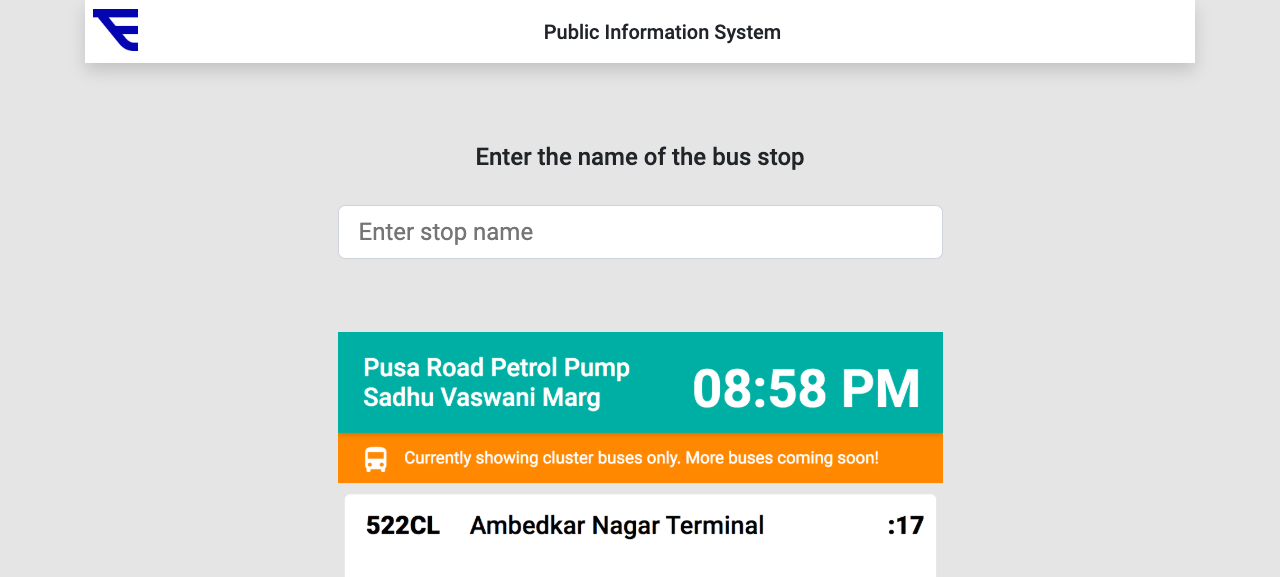
The autocomplete fetches stop suggestions as the user types, allowing quick navigation to a stop's arrival board.
2.2 Stop Arrival Board (PIS Page)
Route: /delhi/<stop-name-slug> · /get_buses_arriving_at_stop?stopid=<stop-id>
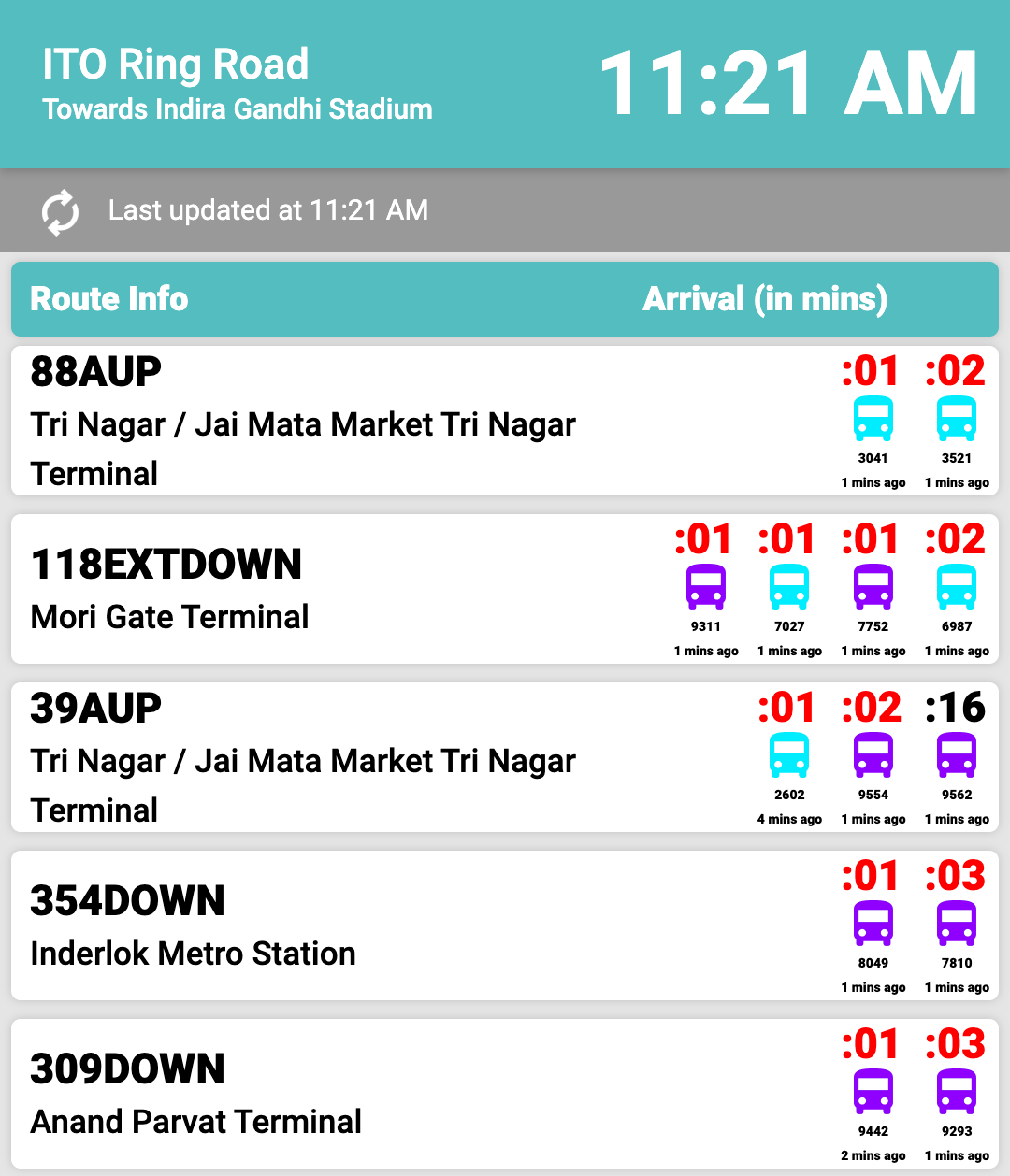
Displays real-time bus arrivals at a specific stop. The page shows:
- Stop name at the top (e.g., "ITO Ring Road")
- List of upcoming buses with route names, destination, and estimated time of arrival (ETA)
- Highlighted card showing the stop name and current time
- Auto-refresh to keep the data current
The arrivals are shown in a table: each row lists the bus route (e.g., "118EXTDOWN"), the destination (e.g., "Mori Gate Terminal"), and the estimated arrival in minutes — color-coded per bus and accompanied by the vehicle ID and last-updated timestamp.
2.3 All Stops List
Route: /all_rt_buses
A browsable list of all stops in the system. Useful for discovering available stops when the user doesn't know the exact name.
2.4 Bus Position Map
Route: /plot_buses?stop_id=<id>&vehicle_id=<id>&route=<route>
A folium-generated map showing a specific bus's real-time position on its route. The map includes:
- Marker for the bus's current location
- Route polyline
- Stop markers along the route
2.5 All Buses on a Route
Route: /get_buses_on_route?route_long_name=<name>
Lists all buses currently operating on a given route, with their positions and ETAs.
3. REST API Endpoints
3.1 v1 Endpoints
| Endpoint | Method | Description |
|---|---|---|
/ | GET | Home page (HTML) |
/all_rt_buses | GET | List all stops |
/get_buses_arriving_at_stop?stop_id=<id> | GET | Buses arriving at a stop (HTML page) |
/get_bus_data_new | GET | Raw bus data (JSON) |
/all_rt_buses_data | GET | All buses data (JSON) |
/get_buses_on_route?route_long_name=<name> | GET | Buses on a route (JSON) |
/plot_buses?stop_id=<id>&vehicle_id=<id>&route=<name> | GET | Map view (HTML) |
3.2 v2 Endpoints
Mounted at /v2/ prefix:
| Endpoint | Method | Description |
|---|---|---|
/v2/get_stops_near_to_location?coordinates=<lat,lon> | GET | Nearby stops given coordinates |
/v2/get_buses_on_route_with_eta?route_long_name=<name> | GET | Buses on a route with ETA |
/v2/get_buses_next_stop_eta | GET | All buses with next-stop ETAs |
3.3 Delhi PIS Endpoints
Mounted at /delhi/ prefix:
| Endpoint | Method | Description |
|---|---|---|
/delhi/<stop-name-slug> | GET | PIS page for a stop (by name slug) |
/delhi/s/<stop-id> | GET | Redirect to stop by ID |
4. Sample JSON Responses
/v2/get_stops_near_to_location
Request:
GET /v2/get_stops_near_to_location?coordinates=[28.5672, 77.2100]
Response:
[
  {
    "stop_id": 1234,
    "stop_name": "AIIMS",
    "stop_lat": 28.5672,
    "stop_lon": 77.2100,
    "distance_m": 45
  }
]
/v2/get_buses_on_route_with_eta
Request:
GET /v2/get_buses_on_route_with_eta?route_long_name=723
Response:
[
  {
    "vehicle_id": "DL1PC1234",
    "route_long_name": "723",
    "trip_id": "723_001",
    "current_stop_id": 5678,
    "next_stop_id": 5679,
    "eta_seconds": 180,
    "timestamp": "2026-08-13T10:30:00Z"
  }
]
5. Process Flow
6. City Parameterization
The service supports multiple cities via URL prefixes:
/delhi/— Delhi bus network
Each city has its own GTFS feed and stop database. The Flask app routes city-specific views and APIs under the prefix.
7. Auth Gap
Current: No API key required for v1 or v2 endpoints.
Recommendation (per Security & Privacy): Add X-API-KEY header authentication to v2 endpoints, consistent with the platform's standard auth model.
Spec v1.0 · Updated Aug 2026